
Dine-in & bars
- Track guests by table
- Modifiers and cooking instructions
- Split tickets
- Receive and adjust tips
Download, Modify & Use It with full freedom in your Business. Floreant POS is free, open-source restaurant POS software. It runs on Windows, Mac, Linux and Raspberry Pi, handles dine-in and take-out orders, prints kitchen tickets and has no license fee.

Since 2008Serving restaurants
196,780+Downloads
Open sourceMRPL 1.2 licensed
Ranked among the top open-source POS systems on Capterra in 2023.
Install
Get the latest build for Windows, Mac, Linux or Raspberry Pi. You need Java 8.
Download Free →There is no complex setup. Floreant configures its embedded database the first time it starts.
See the 90 second install →Sign in with the admin password, add your menu and start taking orders.
Setup guides →Watch
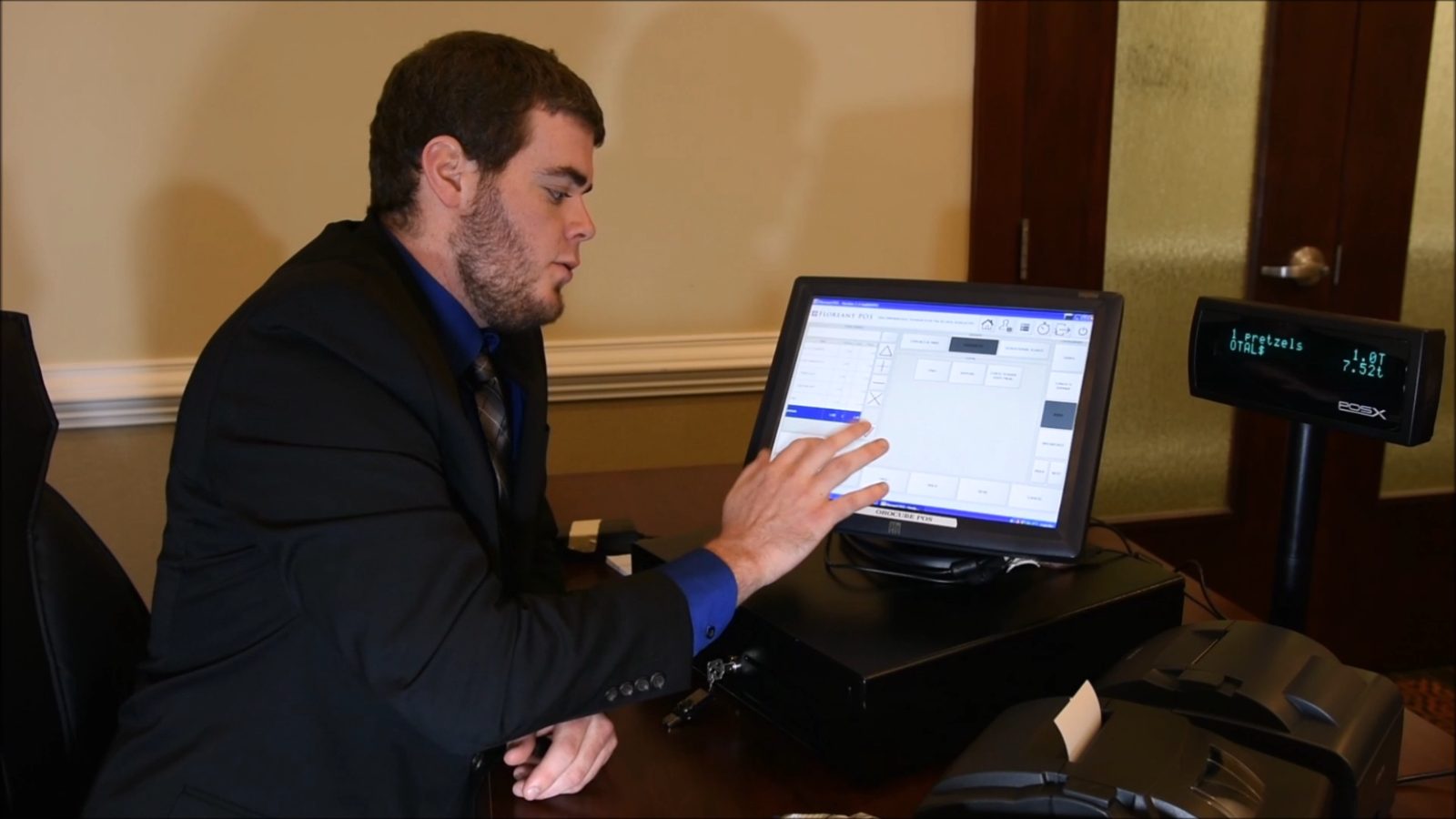
A one-minute walk-through on a touchscreen terminal with a cash drawer, a customer pole display and receipt printers.
Features
Lifetime free
Floreant POS has no license fee and never will. The project is funded by Floreant Services by OROCUBE: support and custom development from the team behind Floreant since 2008.
Download it, use it in your business and change the source code. No subscription, no trial period, no lock-in.
Help with installation, hardware, setup and day-to-day questions. Book a free Zoom call with the team and walk through it together.
Need a feature, an integration or a build for your chain? Hire the Floreant core team to extend the source for your business.
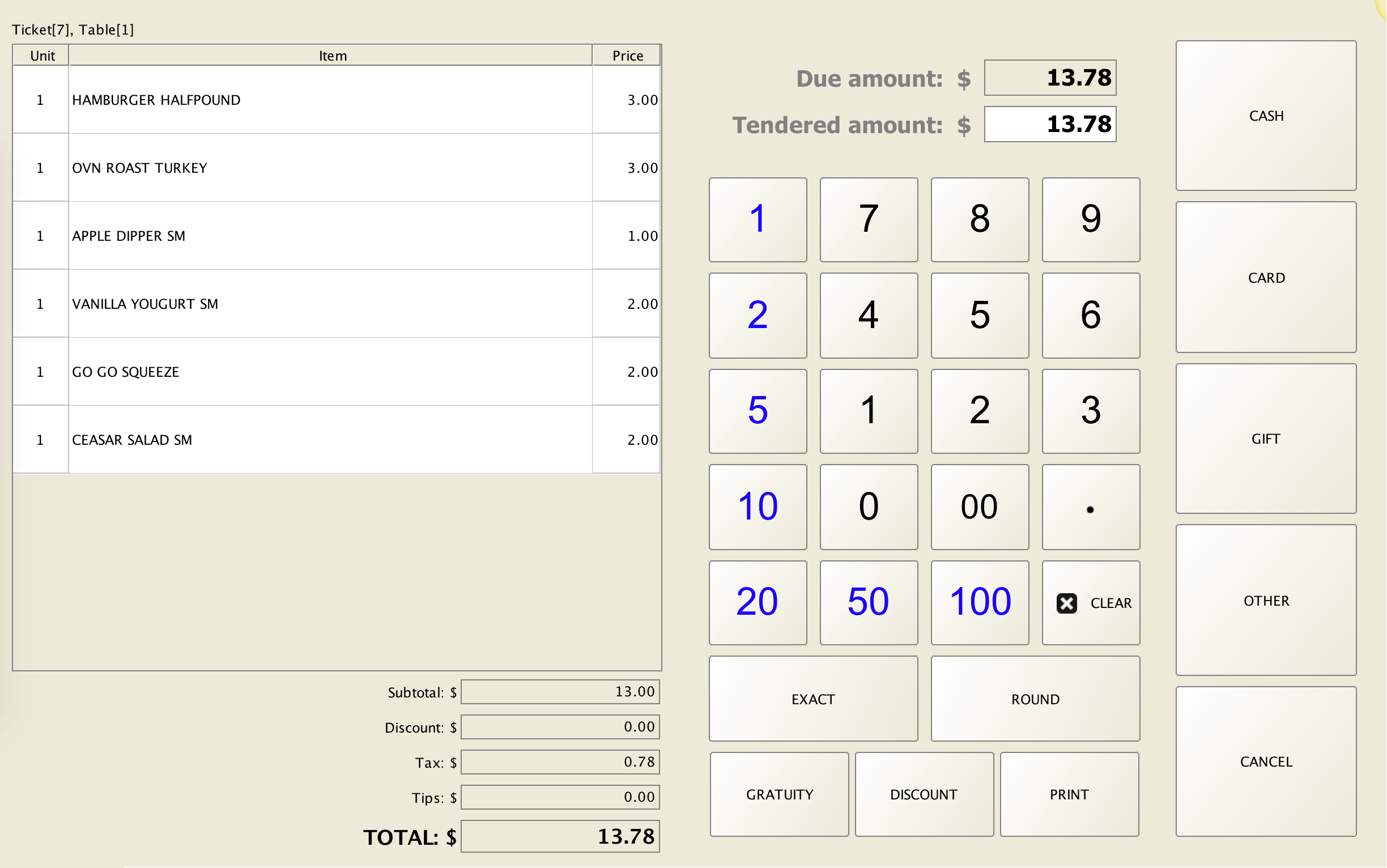
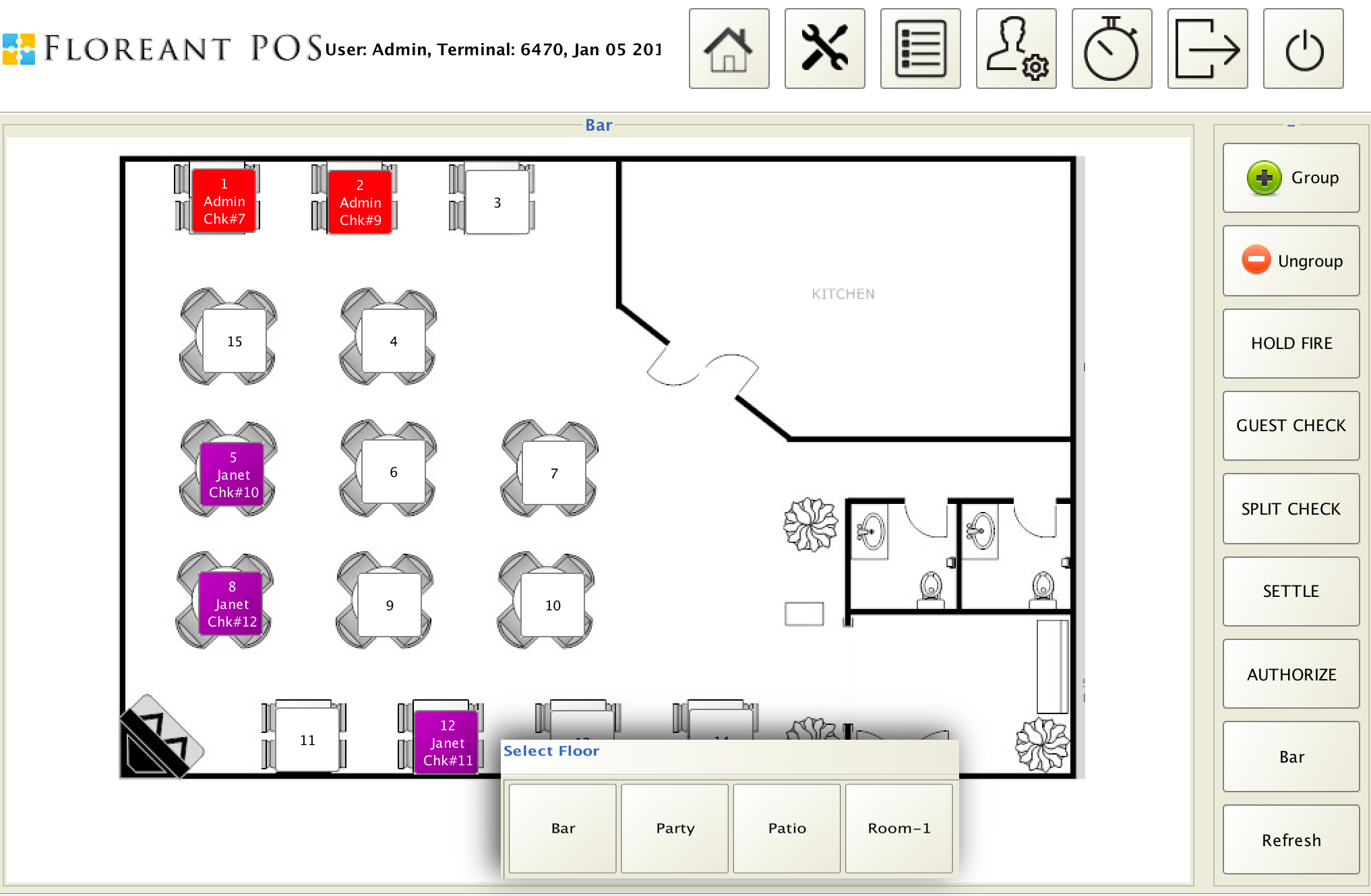
Inside the software

Guides
What is free, what costs extra, and how to choose.
Read the guide →The tasks covered and which features need a plugin.
See what is covered →How an open source system works for a restaurant.
Read the details →Counter and take-out setup for cafés.
Start here →Floreant, uniCenta, Loyverse and Square side by side, with costs, devices and limits.
Compare options →We have experimented with all the open source POS’s we could find and Floreant is by far the very best in terms of simplicity and functionality.
 Dwayne AllenOwner, TheBreadFruit, an award-winning modern Jamaican restaurant in downtown Phoenix, AZ
Requirements
Floreant POS needs Java 8, 2 GB of memory and 2 GB of disk space. It works with common POS hardware, and no internet connection is needed to take orders.
Source: Floreant POS project information. Check the release notes if you run a newer build.
PRO edition
ORO POS is the PRO edition of Floreant POS from OROCUBE. It adds enterprise features, plugins and dedicated support.
The PRO edition of Floreant POS.
Track stock for your menu items.
Lay out tables the way your room looks.
Take and dispatch delivery orders.
Need a menu online too? Try the free online menu.
FAQ
Still unsure? Read the POS manual or visit support.
Our story
Floreant POS began when Denny’s Restaurant in Oneonta, NY, hired our team to upgrade their database.
Recognizing the need for a free, open-source restaurant POS, we released the source code to the public domain.
Floreant POS introduced Java-based POS support, with shift-wise pricing, partial payments and kitchen printer integration. Version 1.02 brought a surge in downloads, so we hosted our binaries on Download.com, ZDNet and SourceForge.
Floreant POS has been customized and deployed across restaurant chains and fast-food businesses, including Louisiana Famous Fried Chicken, Parkway Pizza, Mini Delights, Monalisa Paraguay and Cinco E S.A.S.
Windows, Mac, Linux or Raspberry Pi. Simplify order management, automate the kitchen and keep control of cash.
Awards and recognition from independent sites, and a 5.0 out of 5 rating in all 27 user reviews on SourceForge.

Since 2008, ranked #1 on Google for free, open-source POS.

Asked for the best open-source restaurant POS, ChatGPT names Floreant POS its top pick, free of cost.

Open Source Excellence award on SourceForge (opens in a new tab) for passing 100,000 downloads.

Linux.com's "10 Open Source Point of Sale Systems for Linux" (opens in a new tab) gave Floreant POS a reviewer rating of 4.5 out of 5.

Named in GoodFirms' Top 7 Free and Open Source POS Software, 2025 (opens in a new tab).

Editor's Pick and #1 in Gitnux's Top 10 Best Offline POS Software of 2026 (opens in a new tab), scored 9.3 out of 10.